Eating30
Free 30 Plants a Week Tracker
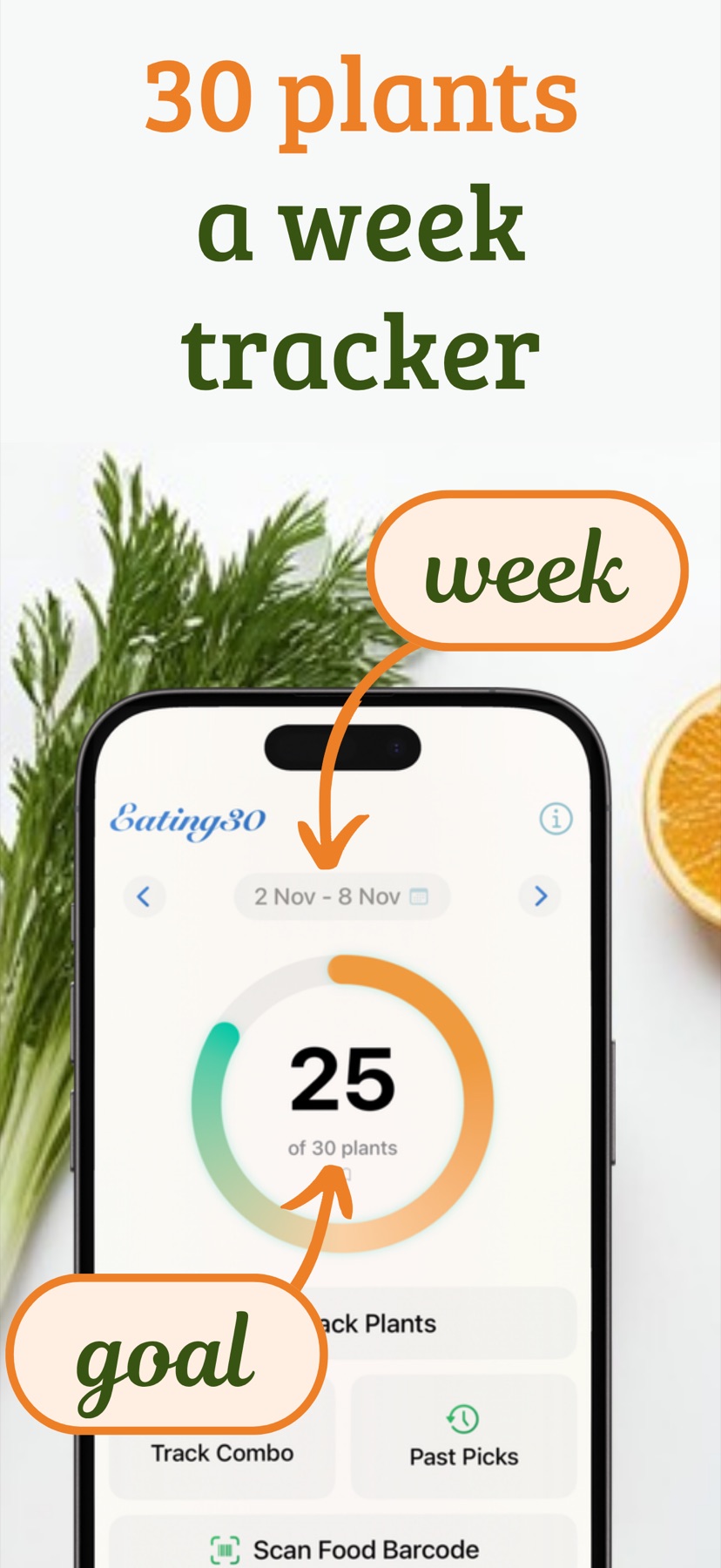
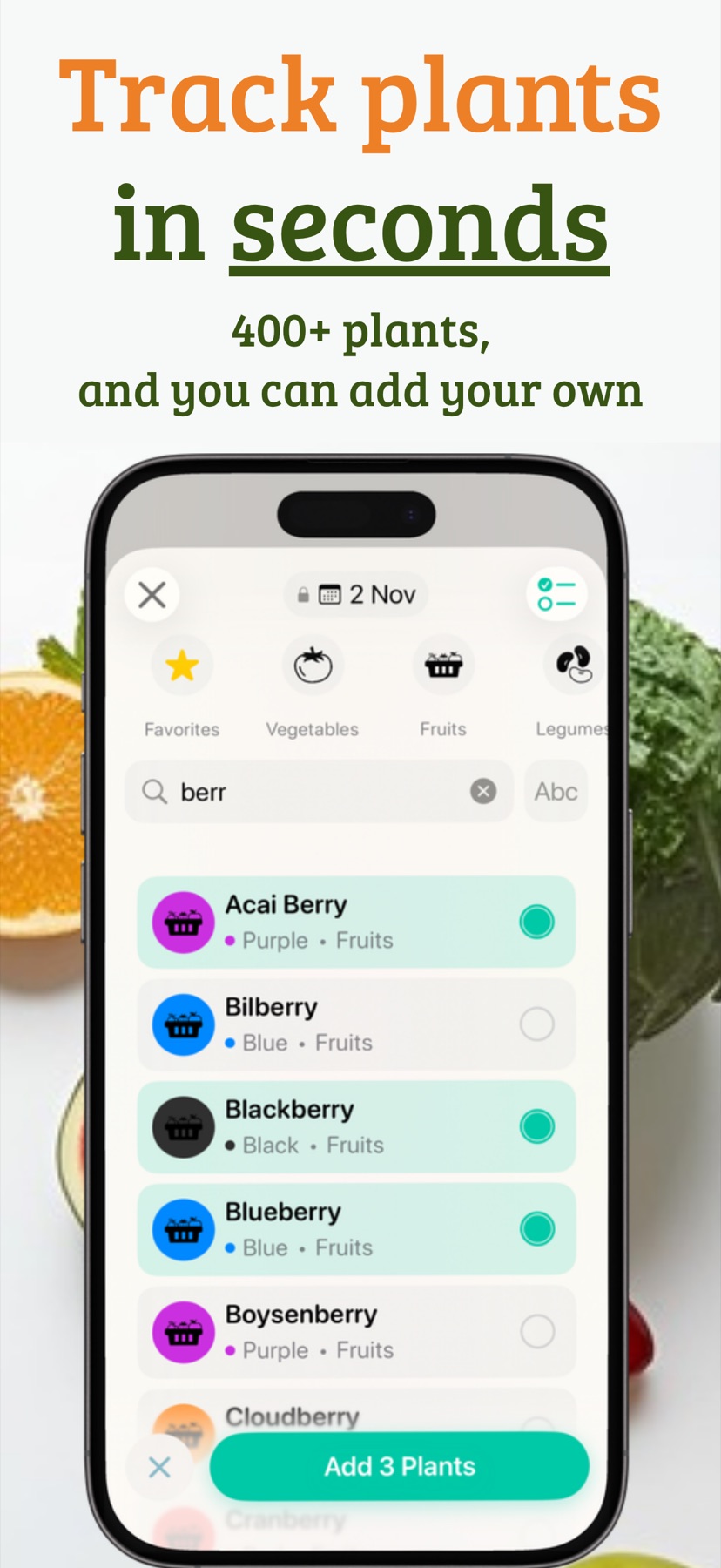
Eating30 counts the different plants you eat each week toward 30, the goal linked by research to a more diverse gut microbiome. Log a plant in seconds: tap it from 350+ plants, scan a barcode, or ask Siri on iPhone.
Free on iPhone and Android
An example week
This week 17 of 30
- Tomato
- Spinach
- Oats
- Chickpeas
- Blueberry
- Carrot
- Garlic
- Lentils
- Basil
- Banana
- Walnuts
- Onion
- Broccoli
- Pumpkin Seeds
- Ginger
- Raspberry
- Quinoa
Each different plant counts once a week. Eating30 does the counting.
Log a plant in seconds
Eating30 counts every different plant you eat in a week, across seven groups: vegetables, fruits, grains, legumes, nuts and seeds, herbs and spices, and mushrooms. Add each one however suits the moment.
- Tap itPick from 350+ plants with minimal taps, or add your own.
- Scan a barcodeFree on iPhone. On Android the first 10 scans are free, then it's part of Premium.
- Ask SiriVoice input on iPhone.
- Snap a photo PremiumTake or choose a photo of a meal, snack or groceries, and tick the plants the AI suggests before saving. On iPhone it needs iOS 27 and Apple Intelligence (iPhone 15 Pro or later); on Android it runs Gemini Nano on the phone, on phones that support it.
- Type what you ate PremiumAI ingredient search by typing, on iPhones with Apple Intelligence.
- One tap for combos PremiumAdd common combos or past picks in one tap.
Eat the rainbow
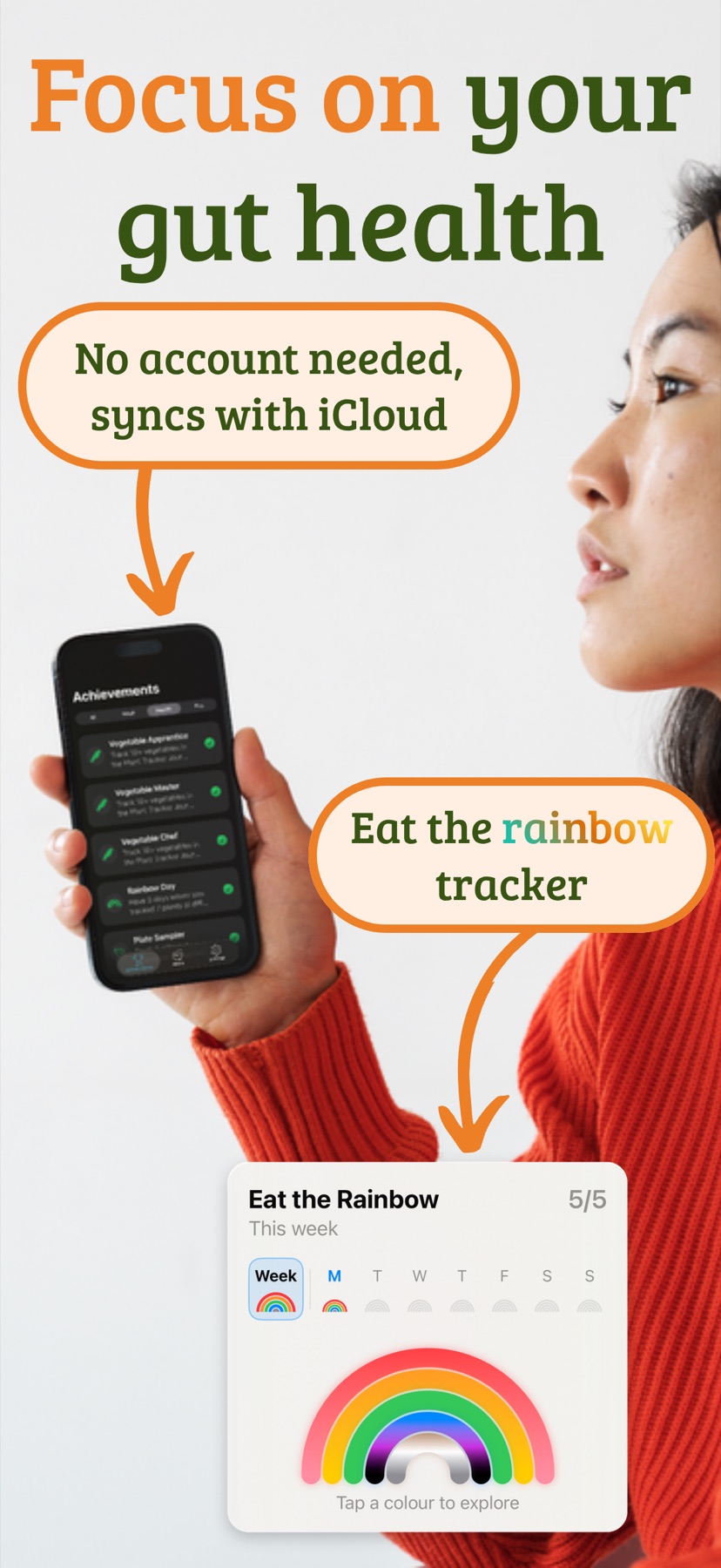
Eating30 sorts its plants into five colour groups, and its Eat the Rainbow statistics show which groups your week has covered.
- Red and pink
- Orange and yellow
- Green
- Blue, purple and black
- White, brown and grey
Your week, your rules
- Customise the plant library: add, edit or hide plants and make your own categories
- Choose whether colour varieties count as one plant, and pick your week's start day
- Badges for milestones and consistency
- Reminders to help build the habit
- iCloud sync across your Apple devices
- Android backup to your Google account restores your data on reinstall or a new phone (no sync between devices)
- Light and dark modes
Free, with optional Premium
Free
The core 30-plant tracking, on iPhone and Android.
- Quick logging from 350+ plants
- Weekly progress toward 30 and Eat the Rainbow statistics
- Barcode scanner (on Android, the first 10 scans)
- Siri voice input and iCloud sync on iPhone; Google account backup on Android
- Your own plant library, categories and counting rules
- Badges and reminders
Premium
Optional, in the app:
- Full journal with search
- Prebiotics and polyphenol tracking
- More statistics and weekly trends
- Saved plant combos and past picks
- AI photo search on iPhone and Android
- Typed AI ingredient search on iPhone
- Unlimited barcode scans on Android
Inside the app
Who it's for
A simple checklist app for anyone who wants to eat a wider variety of plants each week.
- Vegetarians and vegansTrack your favourites and find plants beyond your usual staples.
- Health-conscious eatersBuild variety gradually, for example from 15 plants a week up to 30.
- Families and meal plannersPlan colourful meals and snacks and reach the goal together.
- Fitness enthusiastsKeep count of the plant foods in your training diet.
- Nutrition students and professionalsA simple way to show plant diversity in practice.
- BeginnersStart with familiar plants like apples and carrots, then try quinoa, chia seeds or new leafy greens.
30 Plants guides
- BasicsWhat 30 plants a week means and how to start
- ScienceThe research behind the number
- RainbowPlant colours, with the week checker
- StrategiesSimple ways to add more plants
- CustomizingMake it work for your diet and budget
- QuizFive quick myth-or-fact questions
- Your First Week: Getting StartedA friendly step-by-step guide to start your 30 plants journey without feeling overwhelmed.
- Easy Meals That Actually Taste GoodSimple recipes that make eating 30 plants feel effortless.
- Sunday Prep, Sorted WeekHow to prep once and eat well all week with 30+ easy recipes.
Frequently Asked Questions
What is the 30 plants a week challenge?
The 30 plants a week challenge is based on findings from the American Gut Project, one of the largest studies of the human microbiome. The research found that people who ate more than 30 different plant foods a week had a more diverse gut microbiome than people who ate 10 or fewer. Plants include fruits, vegetables, whole grains, legumes, nuts, seeds, herbs, spices, and mushrooms, and each distinct type counts as one plant.
How does plant diversity support gut health?
Different plants provide different types of fibre, vitamins, minerals, and phytochemicals. Research from the American Gut Project suggests that greater plant diversity in the diet is associated with greater microbial diversity in the gut.
How do I track 30 plants a week?
Use the Eating30 app, available on iOS and Android, to easily track 30 plants a week. You can add foods with minimal taps or scan barcodes on packaged foods. The app includes a database of 350+ plants, tracks your weekly progress toward 30 different plants, and shows Eat the Rainbow statistics. On iPhone you can also use Siri voice input and sync across your Apple devices with iCloud.
What counts as a plant in the challenge?
Plants include fruits, vegetables, legumes, whole grains, nuts, seeds, herbs, spices, and mushrooms. In Eating30, colour varieties of the same plant, like red and green apples, count as one plant by default; you can change this in Settings to count them separately.
How does the Eating30 app help track my progress?
The Eating30 app provides quick food logging with barcode scanning, a database of 350+ plants, visual weekly progress tracking, Eat the Rainbow statistics, achievement badges, and reminders. The iOS app adds Siri voice input and iCloud sync across Apple devices; the Android app supports Android's built-in backup to your Google account. The core tracking experience is free on both platforms.
What is the 30 plants a week checklist app?
Eating30 is a free iOS and Android app designed specifically for the 30 plants a week challenge. It tracks your weekly plant diversity with barcode scanning and a database of 350+ plants (plus Siri voice input on iPhone). You can customise tracking rules, create your own plant categories, and set reminders to build the habit.
Is the Eating30 app a free download?
Yes. Eating30 is free to download on iOS and Android, and the core 30-plant tracking experience is free, including food logging, weekly progress tracking, and achievements. On iOS, barcode scanning, Siri voice input, and iCloud sync are also free. Optional premium features, such as a full journal with search, prebiotics and polyphenol tracking, and saved plant combos, are available separately. On Android, the first 10 barcode scans are free, then barcode scanning is part of Premium. Typed AI ingredient search is available only on iOS, while AI photo search (Premium) works on both iPhone and Android.
Count your plants this week
Eating30 is free on iPhone and Android.
Disclaimer: Eating30 provides educational and habit-tracking content and is not a substitute for medical advice. If you have health concerns, dietary restrictions, or a medical condition, please consult a qualified healthcare professional. Eating30 is an independent app and is not affiliated with, endorsed by, or sponsored by any third-party research institution or health program.